
Operations
An AI employee onboarding agent that runs day one from the signed offer: accounts created, kit ordered, paperwork issued, and every access request that needs a human sitting with the person who has to approve it.
What an AI employee onboarding agent does
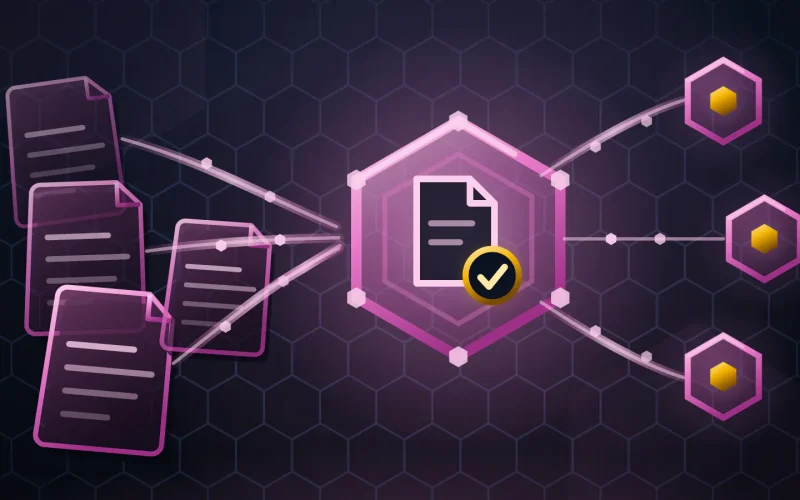
An AI employee onboarding agent is a scoped autonomous worker that turns a signed offer into a working first day. It creates what the role’s profile allows, and it routes what needs approving to a named approver.
Onboarding fails in the gaps between teams. HR has the start date, IT has the accounts, facilities has the desk, finance has the payroll record, and the manager has the context. Each does its part. Nobody owns the sequence, so somebody starts on Monday without a laptop and spends four days as a guest in their own company.
The agent owns the sequence and nothing else. It works backward from the start date, opens each task on the day it must open, chases what is late, and reports the two things that will not be ready before Monday rather than on it.
Inputs -> Outputs
| It reads | It produces |
|---|---|
| The signed offer, role, team and start date | A dated plan working backward from day one |
| Your role-based access profiles | Accounts and group memberships created inside the profile |
| Approval rules for privileged or sensitive systems | An approval request to a named person, before the start date |
| Equipment catalog and stock | A kit order, placed early enough to arrive |
| Policy, contract and compliance paperwork | Documents issued, tracked, and chased when unsigned |
| Team calendars and the onboarding schedule | A first-week schedule: introductions, training, manager check-ins |
Where it runs
- Identity and access management
- HR information systems
- Service desk and IT ticketing
- Payroll and benefits platforms
- Document signing and storage
- Chat and email, for approvals and the welcome sequence
Platform names are shown as illustrative examples of a category, never a claim of a delivered integration.
A day in its life
| Time | What it does |
|---|---|
| 09:00 | An offer is signed for a support engineer starting in 12 days. The agent opens the plan. |
| 09:02 | It creates the accounts the role profile covers and adds the standard group memberships. |
| 09:03 | Production database access is not in the profile. It requests approval from the named owner. |
| 09:05 | It orders the kit and issues the contract, the policy pack and the payroll form. |
| 11:40 | Day 4: the policy pack is unsigned. It chases once, quietly, without copying the manager. |
| Day 11 | Two items are still open. It reports both to the manager, the day before, not the morning of. |
Guardrails and human-in-the-loop
Autonomy boundary
It may create accounts inside a role profile, order equipment, issue documents, schedule sessions and chase. It may not grant access outside the profile, approve its own request, or handle payroll bank details.
Approval gates
Every privileged or sensitive permission goes to the named owner of that system. Standing exceptions are not permitted, because standing exceptions are how access sprawl starts.
What stays human
The welcome. The manager conversation, the team introduction and the judgment about what this person needs are not administrative tasks and are not automated.
Escalation
An approval still open close to the start date, equipment that will not arrive, a document unsigned after two chases, or a role with no defined access profile.
Logging
Every account, permission and approval records who requested it, who approved it and when, which is exactly the trail an access review needs later.
The human role it augments
This agent does not replace your people team or your IT operations. It removes the coordination - the checklist, the six tickets, the chasing of an approval nobody remembers owning - so the humans spend day one on the person rather than on their accounts.
The measure that matters is not hours saved in HR. It is how long a new joiner waits before doing real work, and that number is paid for twice: once in their salary and once in the colleague answering their questions. The agent cannot make anyone feel welcome. It can make sure nothing is missing when they arrive.
Time to value and cost shape
- Cost shape - Priced per hire onboarded, not per HR or IT seat. The comparison is the coordination hours across four teams against the days of productivity lost when day one does not work.
- Model your own figures - ROI calculator · what a hive costs
KPIs it moves
- Day-one readiness
- Hires with every account, document and item complete on day one (Yours)
- Time to productive
- Days from start date to a new joiner working unblocked (Yours)
- Coordination hours
- HR and IT hours per hire, before and after (Yours)
- 100%
- Of access grants carrying a requester, an approver and a timestamp (Target)
Provenance is shown on every cell. Nothing here is a client outcome.
Frequently asked questions
Can it grant access to sensitive systems on its own?
Only inside a role profile you have defined and signed off. Anything beyond that profile becomes an approval request to the system's named owner, and the agent cannot approve its own request. Access that quietly widens over time is the exact risk this design is built against.
What about payroll and bank details?
It issues and tracks the forms. It does not read, store or write bank details, and payroll setup stays with the people and systems that handle it today. Some data should not pass through an agent at all, and this is the clearest example.
Does an AI employee onboarding agent also handle people leaving?
Offboarding runs the same machinery in reverse and is usually the stronger case, because a missed account on day one is an inconvenience and a missed account on the last day is a security finding. It is scoped as a separate deployment, on the same access profiles.
Will new joiners feel processed by a machine?
They should not notice it, which is the intention. The agent works behind the scenes on accounts, kit and paperwork. The welcome message, the first conversation and the introductions come from people, because nothing about arriving somewhere new is improved by an automated greeting.
Related agents
Ticket Triage Agent
Routes the requests a new joiner raises in their first week.
Knowledge-Base Agent
Keeps the internal documentation a new starter reads on day one current.
Order & Logistics Agent
Runs the same watch-and-escalate pattern on shipments, including the laptop.
Invoice Matching Agent
Uses the same approval-matrix discipline where the subject is money.
Compliance Watch Agent
Tests the access grants this agent creates, independently.
Dependency & Patch Agent
A different department, same idea: do the routine work on schedule so it never becomes an emergency.
Part of AI business process automation