
Customer Support
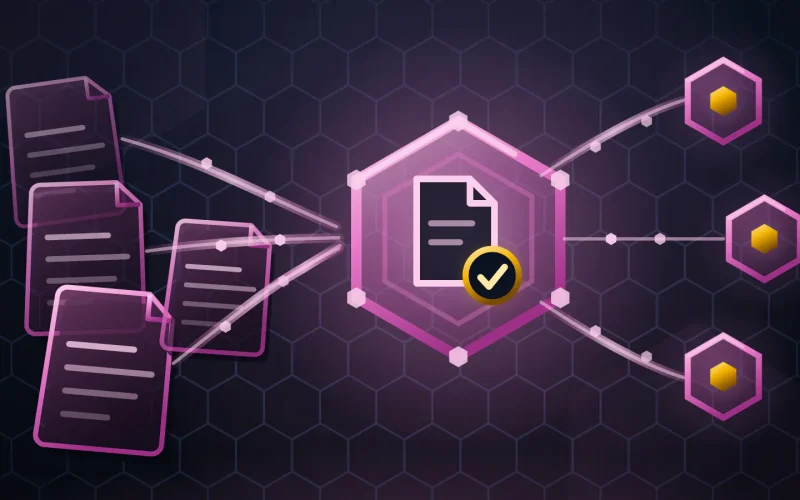
An AI ticket triage agent that reads every ticket as it arrives, categorizes and routes it, answers the ones your knowledge base already answers, and pushes an angry customer to a person immediately.
What an AI ticket triage agent does
An AI ticket triage agent is a scoped autonomous worker that classifies, prioritizes and routes inbound tickets, resolves the ones with a documented answer, and escalates the rest with context attached.
Support queues are not slow because the people are slow. They are slow because the opening minutes of every ticket go into working out what it is, who owns it, whether it is urgent, and whether the same customer already wrote in on Friday. Repeat that across a morning’s volume and the backlog is built before anyone has answered anything.
This agent does the sorting the instant a ticket lands, at 3 a.m. as readily as at 11 a.m. Where a documented answer exists it replies and marks the ticket for review. Where anything is uncertain, it routes rather than guesses.
Inputs -> Outputs
| It reads | It produces |
|---|---|
| Inbound tickets across email, chat and forms | A category, a priority and an owner, applied on arrival |
| Your existing categories, queues and routing rules | A routed ticket, matched to the team that owns the problem |
| The knowledge base and past resolved tickets | A drafted or sent reply where the answer is already documented |
| Customer record, plan and entitlement | A priority that reflects the contract rather than the wording |
| Tone and sentiment in the customer’s own message | An escalation when frustration is rising, ahead of the SLA breach |
| Related open tickets from the same account | A merge suggestion, and a warning when an account keeps writing in |
Where it runs
- Helpdesk and ticketing systems
- Shared inboxes and live chat
- Knowledge bases and help centers
- CRM and entitlement records
- Chat, for escalation and handover
- On-call and paging tools
Platform names are shown as illustrative examples of a category, never a claim of a delivered integration.
A day in its life
| Time | What it does |
|---|---|
| 03:12 | A ticket arrives from an enterprise account. Nobody is on shift for six hours. |
| 03:12 | It reads the message, checks entitlement and sets priority from the contract, not the wording. |
| 03:13 | The question is documented. It sends the answer and flags the reply for morning review. |
| 03:41 | A second ticket, same account, third message this week, tone sharply worse. |
| 03:42 | It does not attempt an answer. It pages the on-call lead with all three tickets attached. |
| 08:00 | The team opens a sorted queue and one escalation that is already six hours old. |
Guardrails and human-in-the-loop
Autonomy boundary
It may read, categorize, prioritize, route, merge duplicates and send answers that exist in your knowledge base. It may not issue refunds, change an account, promise a fix date or close a ticket a customer disputed.
Approval gates
Autonomous replies start as drafts. They send unattended only for the categories you release, one at a time, after you have read a batch of them.
What stays human
Anything with money, contractual, legal or safety consequences, any account already unhappy, and every conversation a person has asked to have.
Escalation
Rising frustration, a repeat contact on the same issue, an entitlement it cannot confirm, or a category it does not recognize. Each goes to a person with the full thread.
Logging
Every classification records its confidence and the text that drove it, so a mis-route can be corrected as a rule rather than argued about.
The human role it augments
This agent does not replace your support team. It removes the sorting and the repetition - the password resets, the “where is my invoice”, the tickets that belong to another queue - so your people spend their day on the problems that need a person who understands your product.
There is a cost worth stating. The tickets that remain are the hard ones, so average handling time goes up even as the backlog goes down. Teams that measure only handling time will read a working deployment as a failure, which is why the measures are agreed before it goes live.
Time to value and cost shape
- Cost shape - Priced per ticket handled, not per support seat. The comparison is a model call against a loaded support hour, and against the overnight and weekend cover you either pay for or go without.
- Model your own figures - ROI calculator · what a hive costs
KPIs it moves
- First response time
- Minutes from arrival to a real first response, including out of hours (Yours)
- Route accuracy
- Tickets reaching the right queue first time, before and after (Yours)
- Deflection
- Tickets fully resolved from documented answers, reviewed weekly (Yours)
- 100%
- Of autonomous replies logged, attributable and reviewable (Target)
Provenance is shown on every cell. Nothing here is a client outcome.
Frequently asked questions
Will customers know they are talking to an agent?
Yes, wherever it answers. We do not recommend disguising it, and in several markets disclosure is required. Handover to a person is offered in every autonomous reply, because the fastest way to lose a customer is to make them fight a machine for a human.
What happens when it gets a ticket wrong?
It routes to a person, and a mis-route is corrected as a rule so it does not recur. Classification confidence is recorded per ticket, and low-confidence tickets go to a human queue by default rather than being pushed somewhere plausible. The measure that matters is not accuracy alone. It is what happens when it is unsure.
Can an AI ticket triage agent handle our whole queue on day one?
It should not. Classification and routing go live first, across everything. Autonomous answering starts on one well-documented category, is read by a person for a couple of weeks, and expands from there. A support agent released across every category at once is how a small error becomes a public one.
Does it work outside business hours?
That is where most of the value sits. It runs 24/7, so a ticket arriving at 3 a.m. is categorized, routed and often answered before the team logs on, and a genuine emergency pages a human instead of waiting in a queue until morning.
Related agents
Knowledge-Base Agent
Writes the articles this agent answers from, out of the tickets it resolves.
Order & Logistics Agent
Removes the delivery tickets before the customer has to write one.
Invoice Matching Agent
Handles the billing side of the same account questions.
Compliance Watch Agent
Evidences that the process this agent runs was followed.
Onboarding Agent
Gets new support hires working on day one instead of day five.
Build & Release Agent
A different department, same shape: diagnose, act inside a playbook, escalate the unknown.
Part of AI customer support agents